AWS deployment workflow
From Docker to ECS Fargate
An ECS Fargate deployment guide with a container build and service update workflow.
By Himan MandujaSource reviewed Reviewed commit cbaeab3 ↗
On this page
This repository is both a deployment walkthrough and a deployable application. Its Next.js interface explains how to put a container on ECS Fargate, while its workflows can publish the guide as a static site or update an existing AWS service.
Keeping those two roles separate is essential. A public documentation page demonstrates that the guide was published. It does not prove that the example ECS workload is currently running, and the AWS workflow does not provision all of the infrastructure described in the guide.
Two publication paths
On a main-branch push, the wrapper workflow checks the DEPLOY_AWS setting. With AWS deployment disabled, it builds a static export, adds the custom domain, and publishes the guide to GitHub Pages. With AWS enabled, it dispatches a separate AWS deployment workflow.
The Next.js configuration selects between static-export and standalone modes. That allows the same guide interface to serve two different output targets, but the resulting artifacts and runtime capabilities are different.
Building the container
The Dockerfile uses a multi-stage Node 20 Alpine build. It installs dependencies with npm ci, builds the application, and copies the standalone output and static assets into the runtime stage.
The final stage runs as the nextjs user with UID 1001 and listens on port 3000. Separating the dependency/build environment from the runtime image keeps build tooling out of the running application image. It also makes the boundary between static Pages publishing and a Node server explicit.
What the AWS job deploys
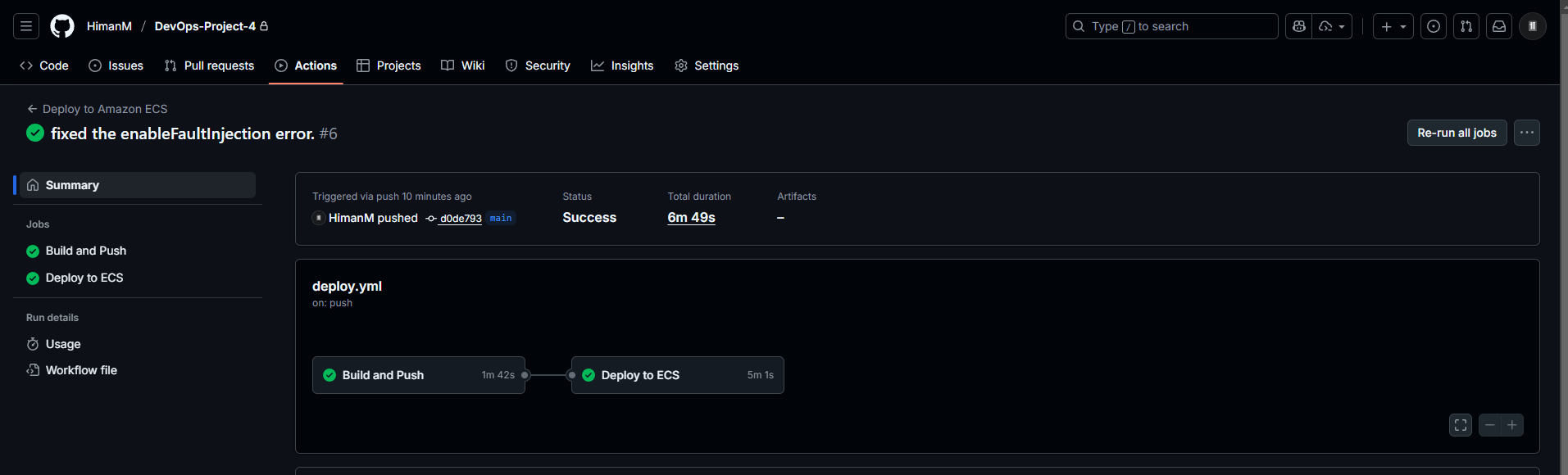
The AWS workflow authenticates with configured access-key secrets, builds a commit-SHA-tagged image, and pushes it to ECR. It retrieves an existing ECS task definition, replaces the configured container image, and deploys that revision to the configured service while waiting for service stability.
The VPC, cluster, task definition, service, and security groups are preconditions. They are created through the guide’s console steps, not through Terraform or another infrastructure-as-code layer in this repository. This is automated application replacement on prepared infrastructure.
The walkthrough architecture
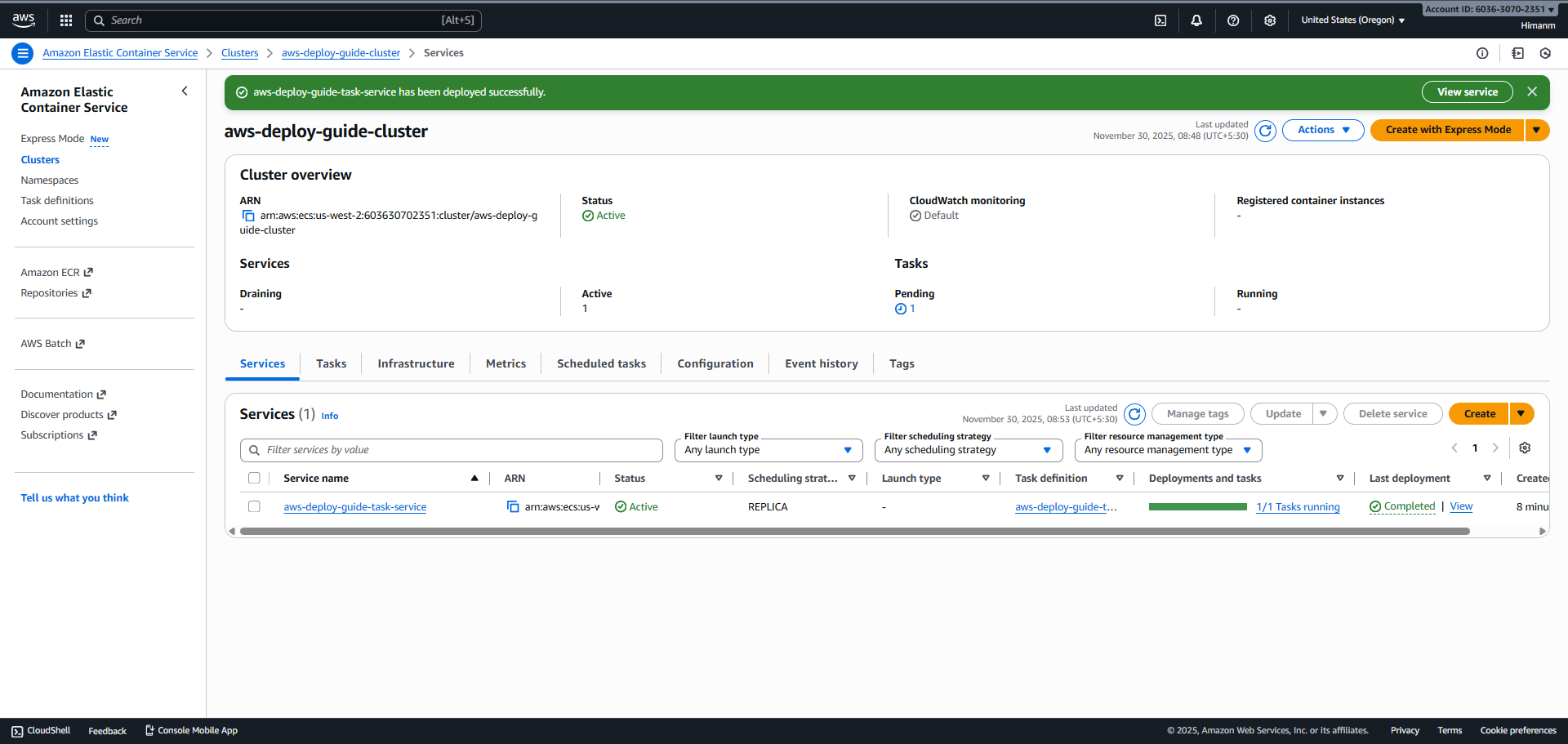
The instructional path uses a public subnet, a task with a public IP, and an inbound rule for port 3000. It explains an execution role for image pulls and logging, and shows where to inspect the task address and CloudWatch logs.
There is no checked-in load-balancer or autoscaling configuration. An ECS service maintaining its desired task count is not the same feature as scaling capacity with demand. The article therefore describes the single-service walkthrough rather than implying a load-balanced, automatically scaled application.
Validation and next steps
The repository contains AWS-console screenshots and historical successful workflow runs for both publication paths. The deployment job’s stability wait is a useful release check: it asks ECS whether the replacement settled. It does not independently test an application journey from a browser.
The next progression would be to capture the manual infrastructure as code, replace long-lived keys with OIDC, define how traffic enters through a load balancer, and add an application-level smoke check. Those are proposed extensions. The existing project’s concrete contribution is making the transition from Docker image to ECR to an ECS service understandable and inspectable.
Source files
- Publication switchStatic Pages publishing or AWS workflow dispatch.
- AWS release workflowImage tagging, ECR publication, and ECS service replacement.
- Container buildMulti-stage standalone build and non-root runtime.
- Next.js output configurationThe distinction between export and server output.